Posts

Addition of Microsoft Teams Direct Routing Infrastructure in Australia

Image
As part of Teams Direct Routing expansion Microsoft has deployed new instances of Microsoft Teams Direct Routing infrastructure in Australia. Two new IP addresses (52.114.16.74 and 52.114.20.29) for customers connecting to this new Australian infrastructure. The SIP signaling connection points for Direct Routing are the following three FQDNs: sip.pstnhub.microsoft.com  – Global FQDN –. When the SBC sends a request to resolve this name, the Microsoft Azure DNS servers return an IP address pointing to the primary Azure datacenter assigned to the SBC. sip2.pstnhub.microsoft.com  – Secondary FQDN – geographically maps to the second priority region. sip3.pstnhub.microsoft.com  – Tertiary FQDN – geographically maps to the third priority region.   IP Address of the FQDN’s are listed in Microsoft Website https://docs.microsoft.com/en-us/MicrosoftTeams/direct-routing-plan
Microsoft Azure, Power Platform & Dynamics 365 Free Exam Vouchers

  Microsoft has been offering free training online for the AZ-900, PL-900 and MB-901 exam. There have been many sessions, and as they get full, new ones are being added. Here is the Microsoft website that lists them through November and December: Microsoft Azure Fundamentals Virtual Day Training AZ-900 Session Available on the Following Dates 9 - 10 November 2020, 9:30 AM - 1:00 PM CET 12 - 13 November 2020, 1:00 PM - 4:30 PM CET 17 - 18 November 2020, 1:00 PM - 4:30 PM CET 19 - 20 November 2020, 9:30 AM - 1:00 PM CET 23 - 24 November 2020, 9:30 AM - 1:00 PM CET 25 - 26 November 2020, 1:00 PM - 4:30 PM CET 2 - 3 December 2020, 9:30 AM - 1:00 PM CET 8 - 9 December 2020, 9:30 AM - 1:00 PM CET 15 - 16 December 2020, 9:30 AM - 1:00 PM CET 21 - 22 December 2020, 9:30 AM - 1:00 PM CET These are two half-day sessions. And at the end, you receive a free voucher to take Fundamental Exams.   Microsoft Power Platform Virtual Day Training PL-900 Session Av...

Microsoft Teams Features in Offline Mode

  With the increase in the demand for the Microsoft Teams Offline Mode. Microsoft is releasing the feature for Microsoft Teams Offline Mode Globally for all the customers. For additional information on feature release refer to the User Voice Teams Offline Mode Microsoft Teams have always been an application which required good amount of network connections. Teams requires high-quality internet connectivity for all the features including Teams Online Meeting or Peer to Peer Audio/Video Calls. In addition, whenever there is a Global Outage either on the Microsoft 365 Server Side or on the user end on the WAN side following list of Features would be supported on Microsoft Teams   Sr. No Feature Availability 1 Personal and Group Chat Existing Messages & the recent chats would be available. New Chats and New Messages will be sent only in the Online Mode 2 Channel messages Exi...

SBA (Survivable Branch Appliance) Support for Microsoft Teams Phone System

Image
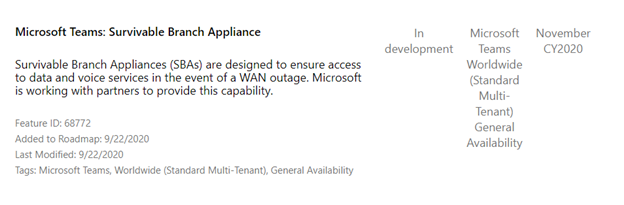
  Most of the Organization have now started adopting Microsoft Teams Phone System Services directly from the Cloud. With the recent outages the demand for a backup services for the Teams Telephony services have voiced out from the customer. In the recently concluded Microsoft Ignite 2020 Event it was announced that Microsoft is coming with the concept of SBA (Survivable Branch Appliance). Microsoft is already with its vendors namely AudioCodes and Ribbon for the quick initial roll out of the Feature to the Microsoft Teams Telephony Platform. Ribbon will be rolling out SBA support for Teams in SBC 1000 & SBC 2000 9.0.x release, in concert with Microsoft making it generally available for Teams. AudioCodes will also be providing Teams Survivable Branch Appliances.   How this Change will Benefit Your Organization ·         SBA will support the PSTN Call capability even if the WAN Link is down. ·       ...

Change in the Microsoft Teams Recording Storage Experience

Image
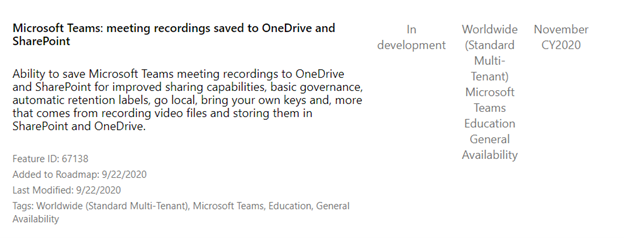
  Microsoft Teams Meeting Recording has always been stored on the Microsoft Stream Platform. Due to this Microsoft Teams Meeting was restricted to the Teams Internal Users only. In case anyone wanted to share the Teams Recording with the External Participant the recording needed to be downloaded manually and uploaded to the SharePoint Online or OneDrive for Business and shared with the external sharing capability. With the below change in the storage of the Microsoft Teams Meeting Recording all the manual efforts will be reduced and people will be able to share the Teams Meeting Recording directly from SharePoint Online or OneDrive for Business directly with the external access link. How this Change will Affect Your Organization This change impacts your organization in several ways: New features The move to ODSP immediately unlocks long-awaited features including external and guest sharing, retention policy application ( https://docs.microsoft.com/microsoft-365/complianc...

New Discounts on Meeting and Calling Experiences in Microsoft Teams

  In the current CoVid-19 situation Microsoft has now started offering discounts on the Microsoft Meeting and the calling licenses for the existing Enterprise Customers. Microsoft Advanced Communications License 35% Discount on the Microsoft Advanced Communications License which provides mainly the below features: - ·          Compliance Recording Graph API Access ·          Contact Center solution Graph API Access ·          Live event of up to 20K participants New Feature Release coming in November 2020 ·          1,000-person Interactive Teams Meetings ·          Customized Lobby with Branding capability ·          Large Overflow Meetings For the meeting features, the meeting organizer needs to be licensed. Attendees do no...